PDF Compressor (Under 500 KB)
Compress and shrink your bulky PDF document size efficiently inside your browser.
PDF Compressor – Reduce PDF File Size Online
Need a smaller PDF for email, document sharing, or an online application? Use the PDF Compressor on WriteNepali.com to make your PDF files easier to manage and share. Choose your document, use the available compression options, and download the result.
Compress PDF NowPDF files are widely used for reports, forms, scanned documents, invoices, resumes, and educational materials. However, large PDF files can be difficult to upload, email, or share when a website or platform has a file-size limit.
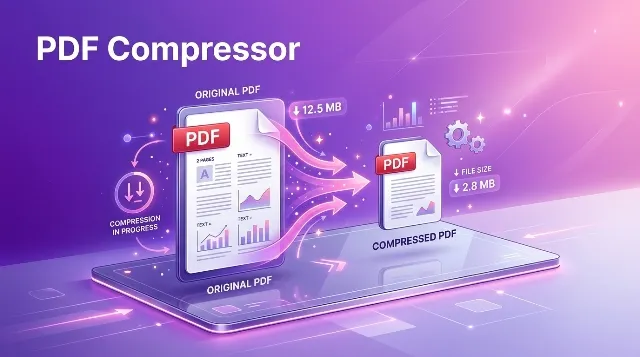
A PDF Compressor helps reduce the size of a PDF document so it can be easier to send, store, and upload. The amount of compression depends on the original document, its images, and the compression method supported by the tool.
How to Compress a PDF Online
Follow these general steps to reduce the size of a PDF using an online compression tool. The exact buttons and settings may vary depending on the version of the compressor available on this page.
-
Open the PDF Compressor
Visit the PDF Compressor tool on WriteNepali.com. -
Select your PDF file
Choose the PDF document you want to make smaller using the file selection option provided by the tool. -
Choose the available compression settings
If compression options are available, select the setting that best matches your need for file size and document quality. -
Start the compression process
Use the Compress button or the corresponding action in the tool. Wait for processing to finish. -
Download and check the compressed PDF
Save the resulting file and open it to check its readability, layout, images, and important details.
Why Should You Compress a PDF?
Compressing a PDF can be useful when you need to share a document online or keep files organized. A smaller document may be more convenient to upload, download, and store.
Email Attachments
Reduce large PDF attachments when your email service or recipient has a file-size limit.
Online Uploads
Prepare PDFs for application forms, registration portals, and websites with document-size restrictions.
Mobile Sharing
Smaller files can be more convenient to send through messaging apps or mobile internet connections.
File Storage
Reduce document size where possible to make digital file organization more manageable.
Study Materials
Prepare notes, assignments, scanned chapters, and learning documents for easier sharing.
Business Documents
Make invoices, reports, proposals, and other PDF documents easier to distribute.
What Does PDF Compression Do?
PDF compression attempts to reduce the amount of data stored inside a PDF document. Depending on the method, it may optimize document structure, remove unnecessary data, or reduce the size of embedded images.
Different PDFs contain different types of content. A simple text document may already be compact, while a scanned document or photo-heavy report may contain large image files.
| PDF Content | Possible Compression Result | What to Check |
|---|---|---|
| Text-based PDF | May have limited size reduction if already optimized. | Text clarity and formatting. |
| Scanned PDF | May benefit from image optimization, depending on the tool. | Small text, signatures, and scan readability. |
| Photo-heavy PDF | Image compression may reduce file size more noticeably. | Image sharpness and colors. |
| Form or report PDF | Results depend on embedded images and document structure. | Forms, tables, links, and page layout. |
Does Compressing a PDF Reduce Quality?
It can, but not every compression method affects a document in the same way. Some methods focus on removing unnecessary data or optimizing the PDF structure. Other methods reduce image resolution or quality to achieve a smaller file.
If the PDF contains photographs, scanned pages, diagrams, or detailed graphics, stronger image compression may make some details less clear. Text-heavy PDFs may behave differently from image-heavy documents.
How Much Can You Reduce PDF File Size?
There is no single compression percentage that applies to every PDF. The result depends on the original file size, image quality, document structure, and the compression technology used.
A PDF that contains large, high-resolution images may have more opportunities for image-based compression. A document that has already been optimized may show only a small reduction—or no reduction at all.
For this reason, it is better to compare the original and compressed file sizes rather than expect a guaranteed percentage.
What if the Compressed PDF Is Larger?
Sometimes a compression process can produce a file that is similar in size or even larger than the original. This can happen when the source PDF is already optimized or when the compression method adds data during processing.
If the resulting file is larger, keep the original and try a different compression option if one is available. Do not assume that every PDF can be reduced significantly.
Choosing the Right PDF Compression Level
If your compressor provides different compression levels, choose one based on how you plan to use the PDF.
Light Compression
Consider a lighter option when document quality and image detail are more important than achieving the smallest possible file.
Balanced Compression
A balanced option may be useful for everyday documents that need a reasonable compromise between file size and readability.
Strong Compression
Stronger compression may be suitable when file size is the main concern, but carefully inspect images and small text.
The names and availability of compression settings depend on the compressor. Use the options actually shown in the tool above.
Common Uses of a PDF Compressor
1. Compress PDF for Job Applications
Job portals may set a maximum file size for resumes, certificates, cover letters, and other documents. Compressing a PDF can help prepare files for these requirements. Always follow the portal’s instructions and confirm that the document remains readable.
2. Reduce PDF Size for Email
Large PDFs can be inconvenient to attach to emails. A smaller PDF may be easier to send, especially when you are sharing multiple documents or using a limited internet connection.
3. Compress Scanned Documents
Scanned documents often contain image data for each page. Depending on the compression method, reducing image data may help lower the overall PDF size. Review scanned text and stamps after compression.
4. Prepare PDFs for Online Forms
Government, educational, employment, and business websites may ask you to submit documents in PDF format with a specified size limit. Use the requirements listed by the destination website as your guide.
5. Share Educational Documents
Students and teachers may use PDF files for notes, assignments, presentations, and study resources. Compressing large documents may make them more convenient to share.
Tips for Better PDF Compression
- Keep an unchanged copy of the original PDF.
- Choose compression settings according to your document’s purpose.
- Check small text, tables, diagrams, and scanned images after compression.
- Do not compress repeatedly unless necessary; repeated lossy compression may affect image quality.
- Use a lower-resolution source scan when appropriate and permitted.
- Remove unnecessary pages before compression if the document does not need them.
- Follow the file-size and file-format rules of the website where you plan to upload the PDF.
- Open the downloaded file to confirm that it works correctly.
PDF Compressor vs. PDF Converter
| Tool | Main Purpose |
|---|---|
| PDF Compressor | Attempts to reduce the size of a PDF document. |
| PDF to Image Converter | Converts PDF pages into image files. |
| Image to PDF Converter | Combines supported images into a PDF document. |
| PDF Merger | Combines multiple PDF documents into one file. |
| PDF Splitter | Separates selected pages or page ranges into different PDF files. |
Is It Safe to Compress PDF Files Online?
Before using any online PDF tool, consider the sensitivity of the document and how the service processes files. PDF documents may contain personal details, signatures, financial information, or confidential business data.
Check the tool’s privacy information before processing sensitive documents. If you are using a browser-based compressor, verify whether files are processed locally or uploaded to a server. Do not assume that every online PDF compressor uses the same method.
For confidential or legally sensitive documents, follow your organization’s data-handling policy and use a trusted processing method.
Explore More Tools on WriteNepali.com
You may also find these tools useful for document conversion, calculations, and everyday tasks.
Frequently Asked Questions About PDF Compressor
1. What is a PDF Compressor?
A PDF Compressor is a tool that attempts to reduce the file size of a PDF document. It may optimize document data or compress embedded images, depending on the tool.
2. How can I compress a PDF online?
Open the PDF Compressor, select your PDF file, choose the available compression option, start processing, and download the result. Review the compressed document before using it.
3. Is PDF compression free?
The availability of free compression depends on the tool. Check the options and any usage restrictions displayed on the PDF Compressor page.
4. Will compressing a PDF reduce its quality?
It may. Some compression methods reduce image resolution or quality, while other methods focus on optimizing the document structure. Always inspect the result.
5. How much smaller can a PDF become?
The amount varies by document. Image-heavy PDFs may have more room for reduction than text-based PDFs that are already optimized. No specific reduction is guaranteed.
6. Why is my PDF not getting smaller?
Your PDF may already be optimized, or the compression method may not be able to reduce its embedded content further. Some documents may remain nearly the same size.
7. Can a compressed PDF become larger?
Yes. Certain files may become slightly larger after processing. Compare the output with the original and keep whichever version best meets your needs.
8. Can I compress a scanned PDF?
Scanned PDFs can often benefit from image compression if the tool supports it. Check the clarity of scanned text, signatures, and stamps after compression.
9. Can I compress a PDF for email?
Yes. PDF compression is commonly used to prepare attachments for email. Make sure the resulting file meets the attachment limit of your email service.
10. Can I compress a PDF for an online application?
Yes. Compression may help when an application portal limits PDF file size. Check the portal’s maximum file size and document requirements before uploading.
11. Does compressing a PDF change its format?
A PDF compressor generally produces a PDF file, but the internal content or structure may change depending on its compression method.
12. Can I compress a PDF on my mobile phone?
You may be able to use a PDF compressor from a modern mobile browser. Performance depends on the browser, device memory, file size, and the tool’s compatibility.
13. Does compressing a PDF remove pages?
PDF compression is intended to reduce file size, not remove pages. If you need to delete pages, use a PDF page removal or PDF splitting tool.
14. Can I compress a password-protected PDF?
Password-protected PDFs may not be supported by every compressor. Follow the document’s access requirements and use a compatible tool if you are authorized to process the file.
15. Is it safe to compress confidential PDFs?
Check how the tool processes files before using it with confidential documents. Review its privacy information and follow your organization’s security requirements.
16. Should I keep the original PDF?
Yes. Keeping the original is recommended, especially for important documents. It allows you to restore the original quality or content if needed.
Make Your PDF Files Easier to Share
Large PDF files can create difficulties when sending email attachments, uploading documents, or sharing files online. A PDF Compressor can help reduce file size when the document and compression method allow it.
Use the PDF Compressor on WriteNepali.com, select your document, and follow the available compression options. Remember to compare the result with the original and check that all important information remains clear and complete.
Keep your original file safe, choose the right compression approach, and use the compressed PDF only after reviewing it.